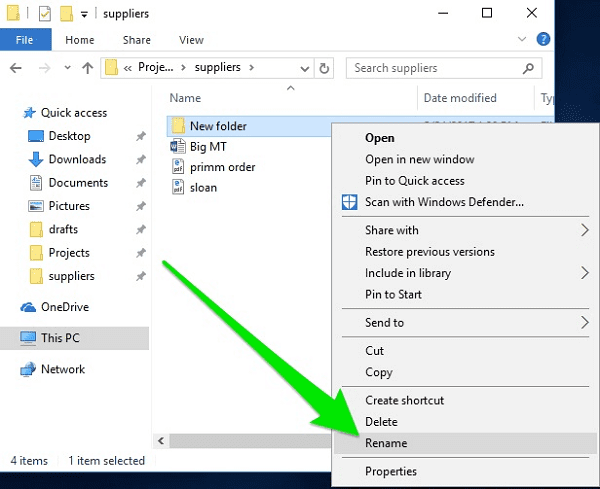
To create a folder
To create a folder- To create a folder on your computer, you can follow these general instructions. The specific steps may vary slightly depending on your operating system (Windows, macOS,…



To create a folder- To create a folder on your computer, you can follow these general instructions. The specific steps may vary slightly depending on your operating system (Windows, macOS,…
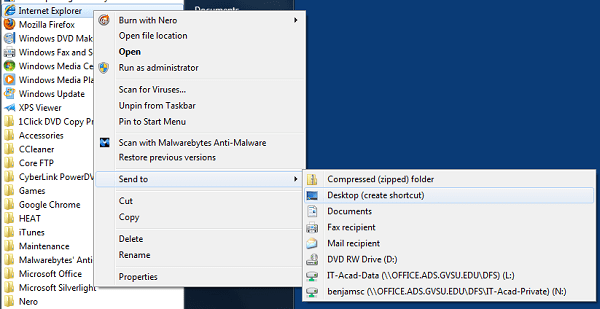
To put a shortcut on the Desktop- To create a shortcut on your desktop in Windows, you can follow these steps: Method 1: Creating a Desktop Shortcut for a File…
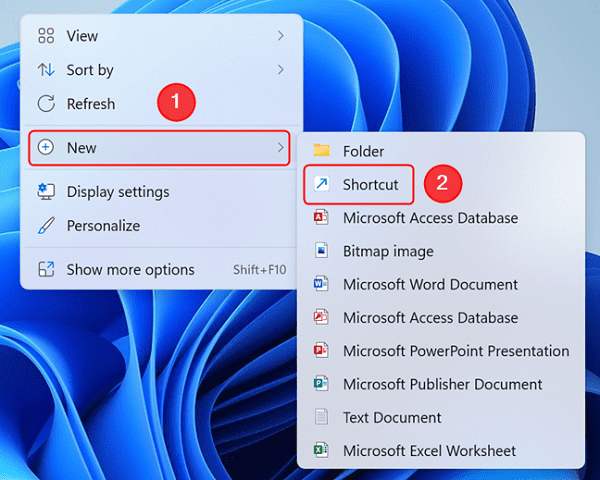
Creating a Shortcut- Creating a shortcut typically involves creating a quick way to access a file, folder, application, or a specific action on your computer, smartphone, or tablet. The process…

To move a File or Folder- Moving a file or folder involves changing its location within your computer's file system. Here's how you can move a file or folder: Method…
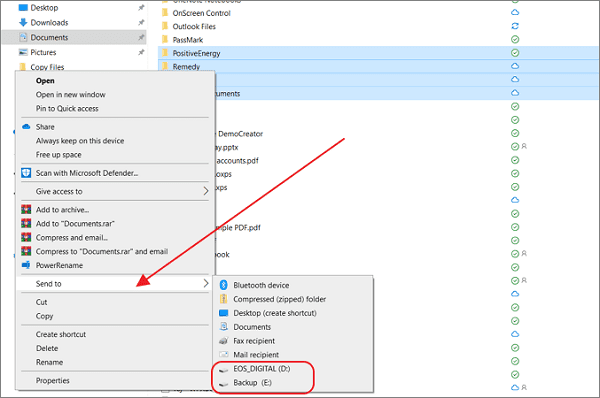
To send a File or Folder to a Disk- Sending a file or folder to a disk typically involves copying or moving the file or folder from your computer's local…

To adjust the rate at which the Cursor Blinks- The cursor blink rate is a feature of your computer's operating system and can typically be adjusted through the system settings.…
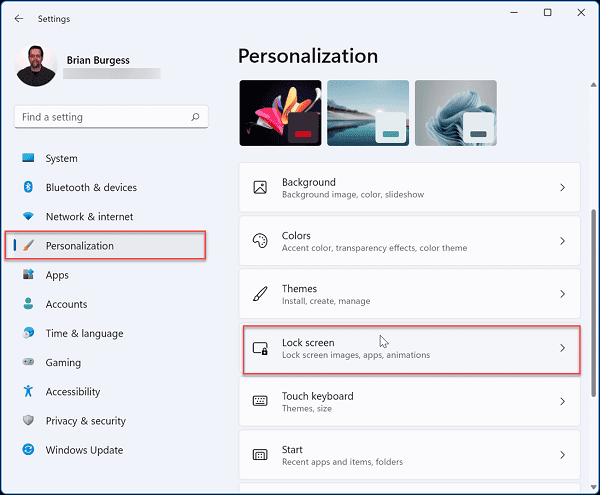
To set up a Screen Saver- Setting up a screen saver on your computer can help protect your screen from image burn-in and add some visual flair when your computer…

To change the background of the Desktop- Changing the background (also known as wallpaper) of your desktop depends on the operating system you are using. I'll provide instructions for three…

To see what’s on your Computer- To see what's on your computer, you can use various methods and tools, depending on the information you're looking for. Here are some common…

To find a File or Folder- To find a file or folder on your computer, you can use various methods and tools depending on your operating system. Here are some…